Stockhub — Schwab Commercial API Functionality Demo
Short video clips and annotated screenshots of the Stockhub iOS app, demonstrating how Schwab market-data endpoints are consumed under the Commercial-use agreement. Prepared for review by the Schwab Commercial API team.
Video walkthroughs
Two short clips: an end-to-end app tour and a focused look at the options detailed feed.
1. Full App Walkthrough
End-to-end tour of the surfaces that consume Schwab quotes and options data.
2. Options Detailed Feed
Detail view of the options-chain feed sourced from Schwab options endpoints, with §9.4.2-compliant server-side redaction applied before display.
App screenshots
Key surfaces of the Stockhub iOS app. Ordered to match a typical user session: home → model feed → alerts → supporting data → learn → account.
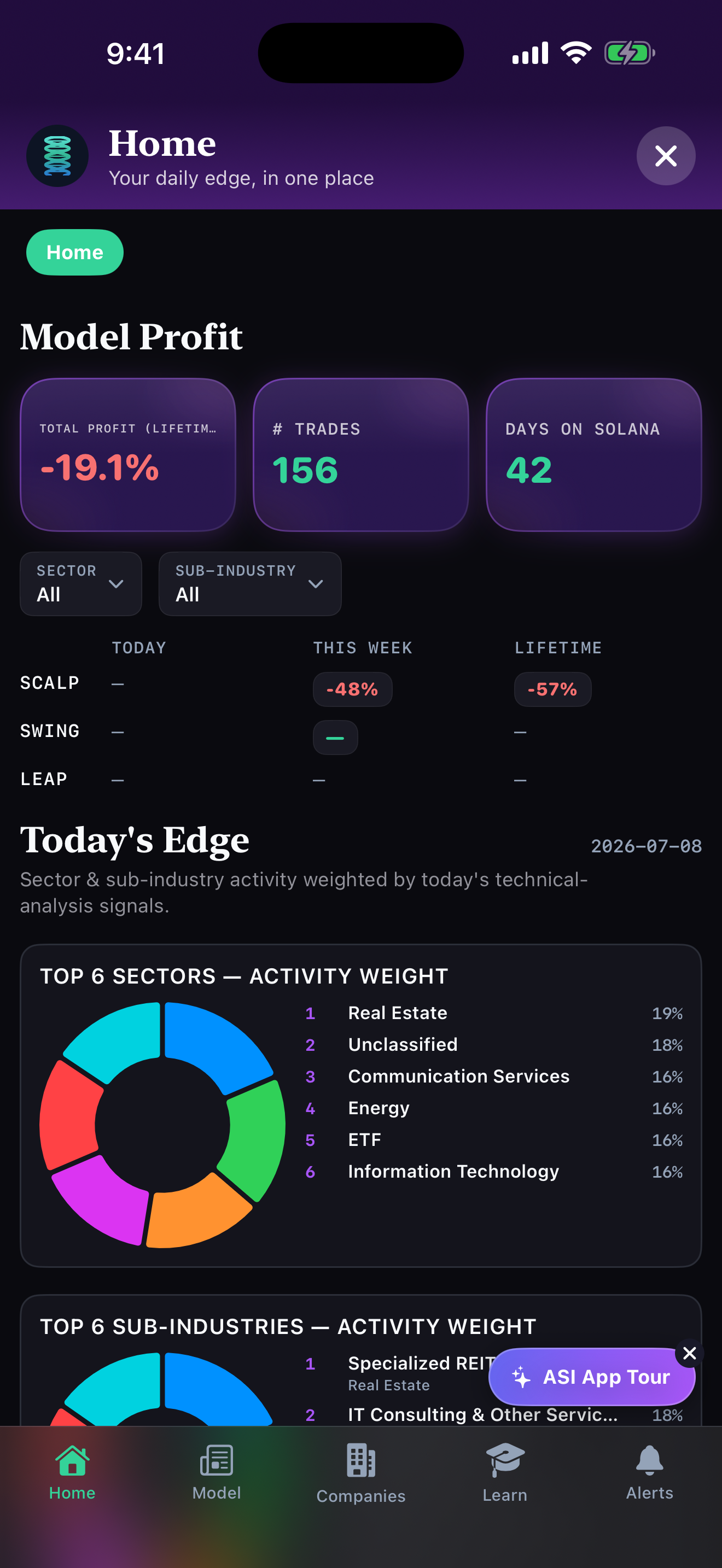
1. Home — Model Profit & Today's Edge
Landing dashboard: lifetime model profit, per-style rollups (Scalp / Swing / Leap), sector activity weight.
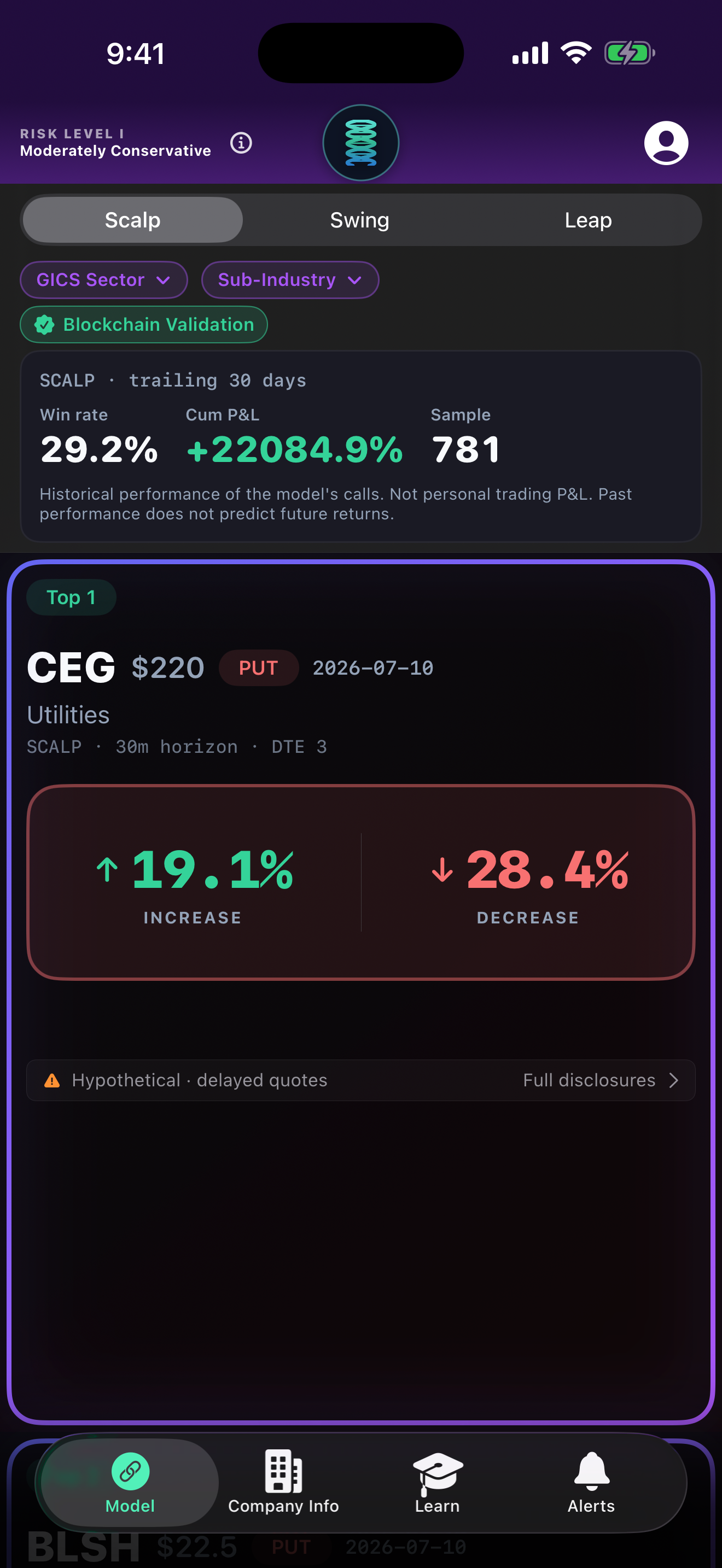
2. Model Feed — Scalp Plays
Intraday model calls (30m horizon, DTE 3) with blockchain-validated trailing 30-day performance.
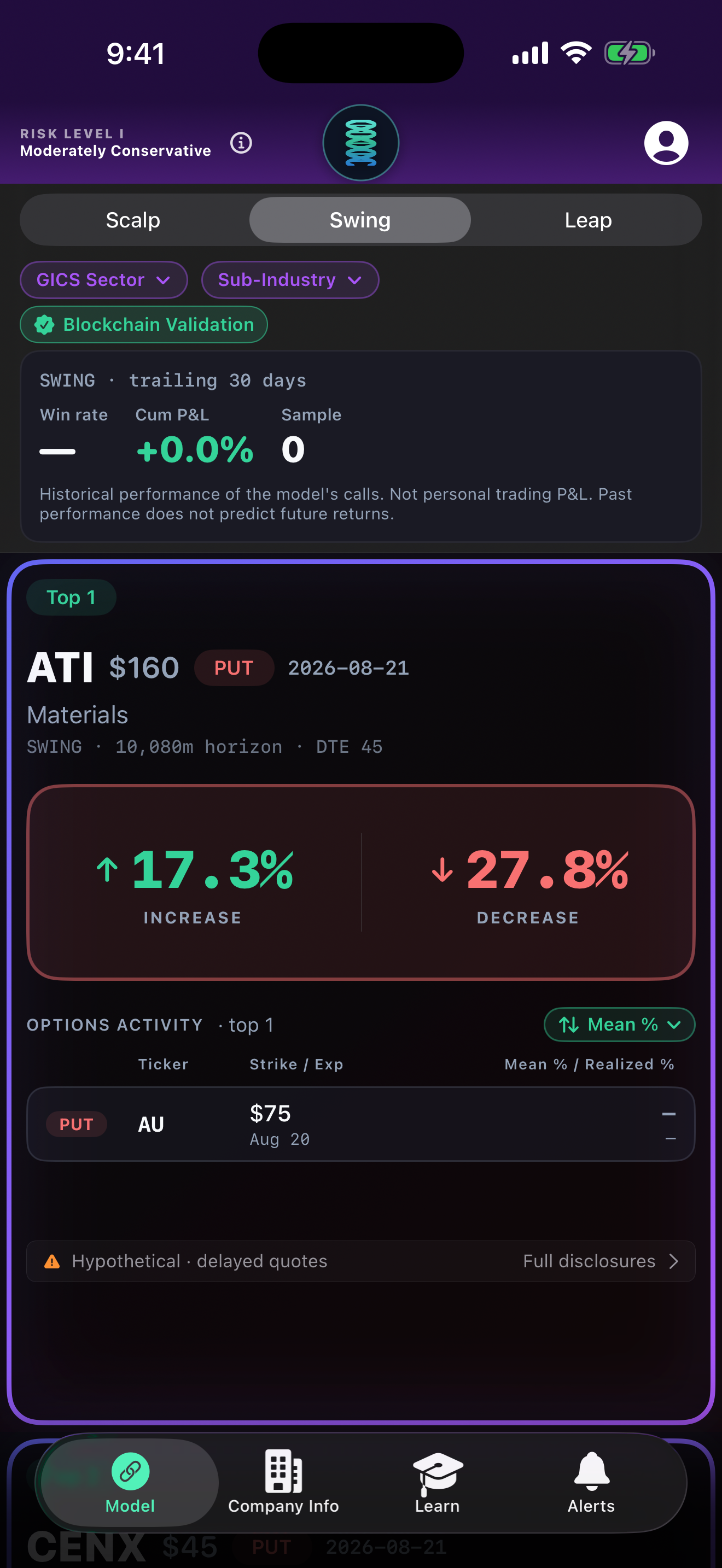
3. Model Feed — Swing Plays
Multi-week horizon (10,080m / DTE 45) with per-play options activity.
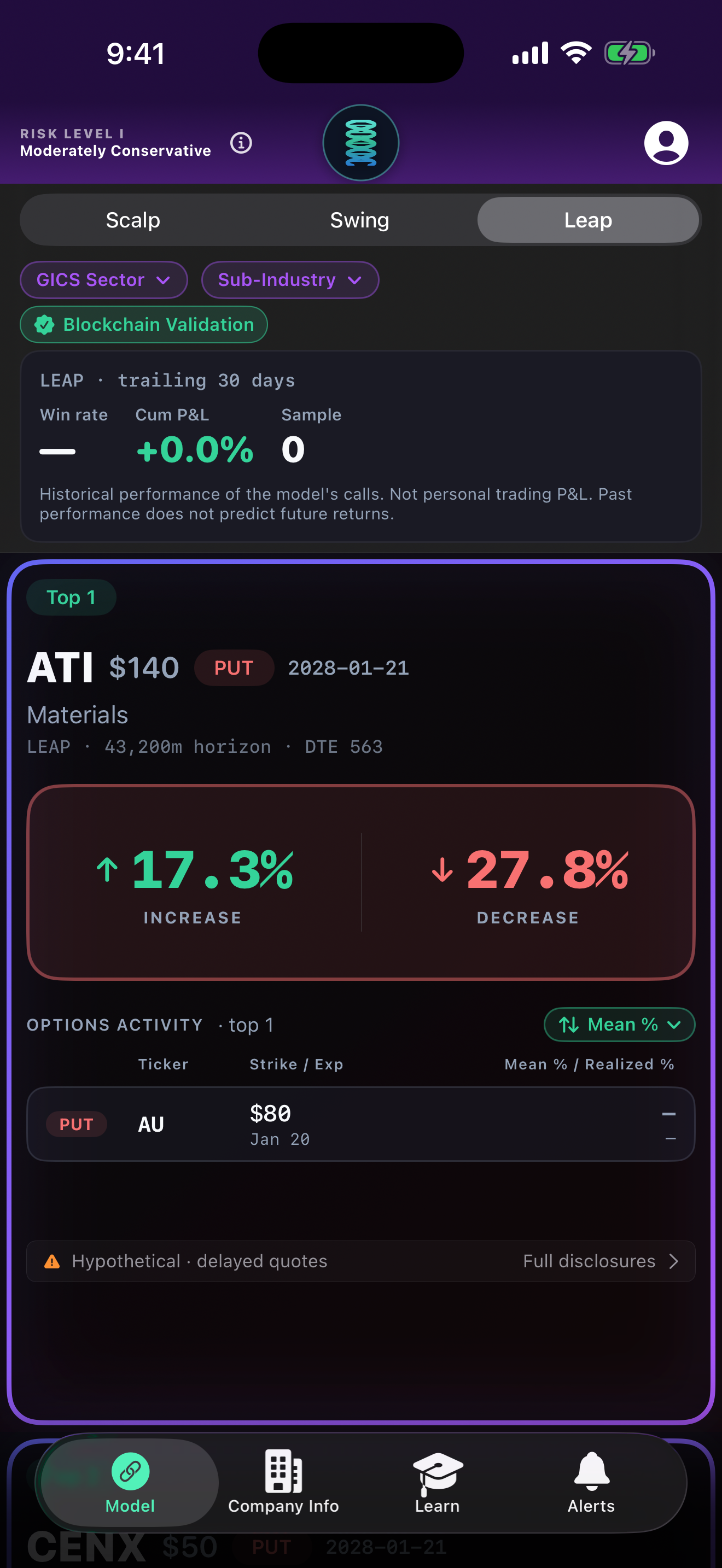
4. Model Feed — Leap Plays
Long-dated horizon (43,200m / DTE 563) — LEAP-style options positioning.
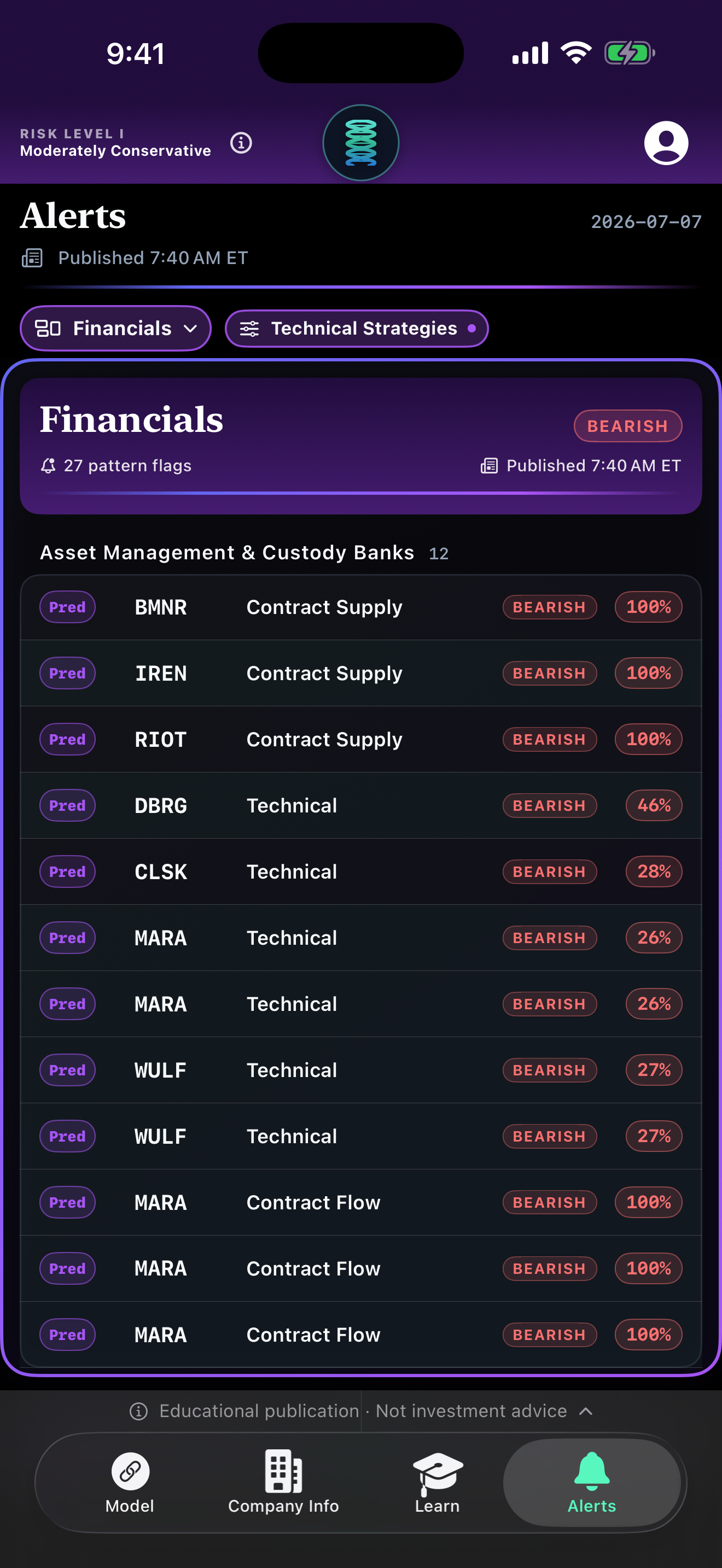
5. Alerts — Financials Technical Patterns
Pattern-flag feed by sector; predicted probabilities on Contract Supply, Contract Flow and technical signals.
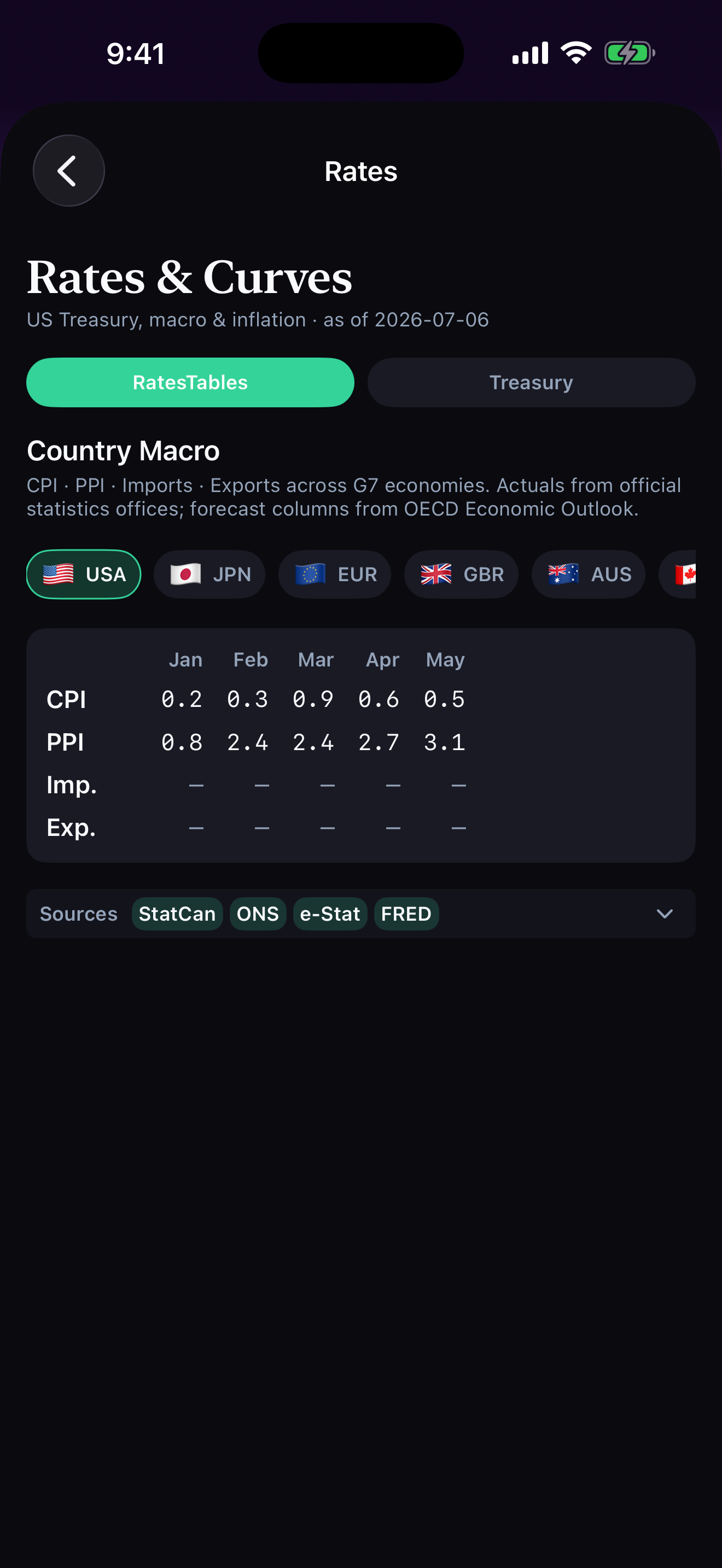
6. Rates & Curves — Country Macro
G7 CPI / PPI / imports / exports; actuals from official statistics offices, forecasts from OECD.
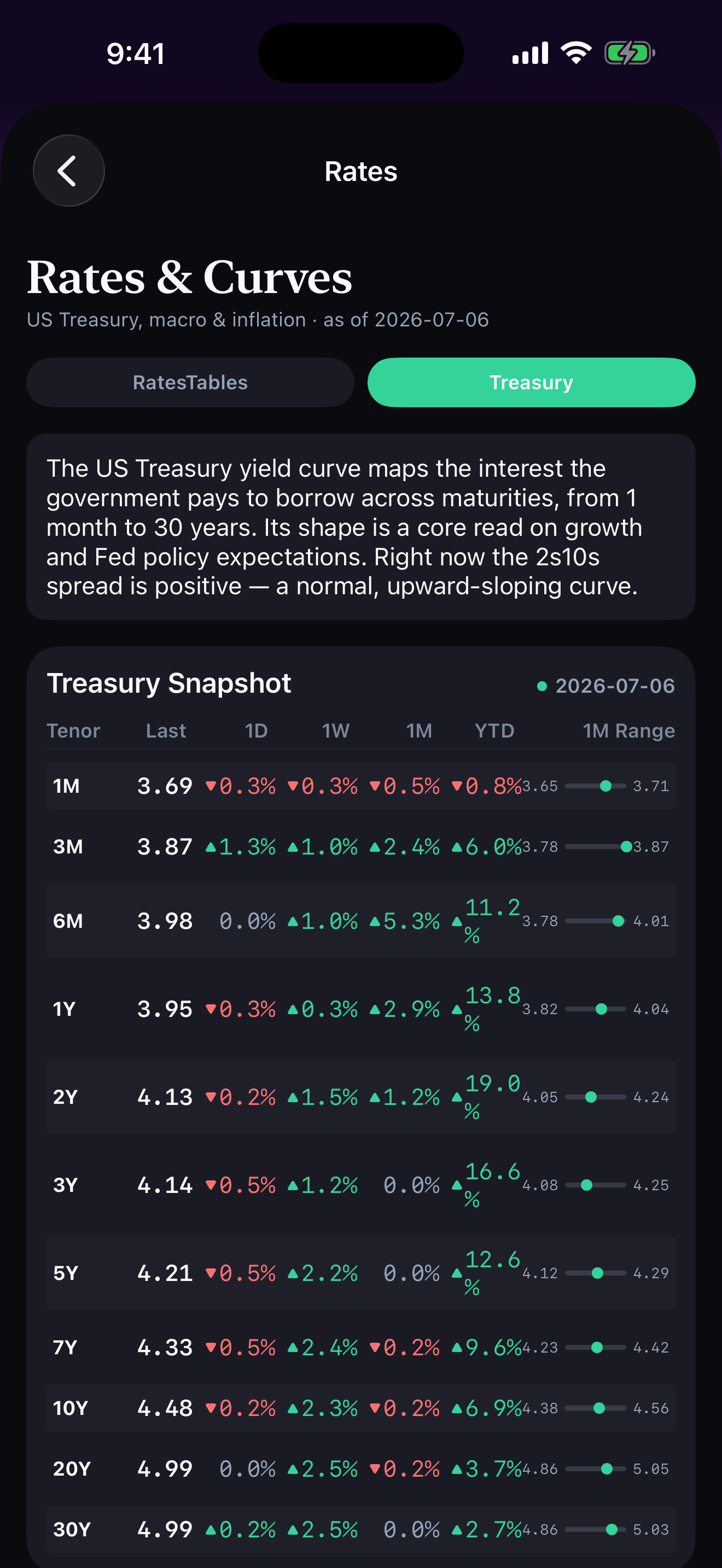
7. Rates & Curves — Treasury Snapshot
US Treasury yield curve (1M–30Y) with 1D / 1W / 1M / YTD deltas and 1-month range indicator.
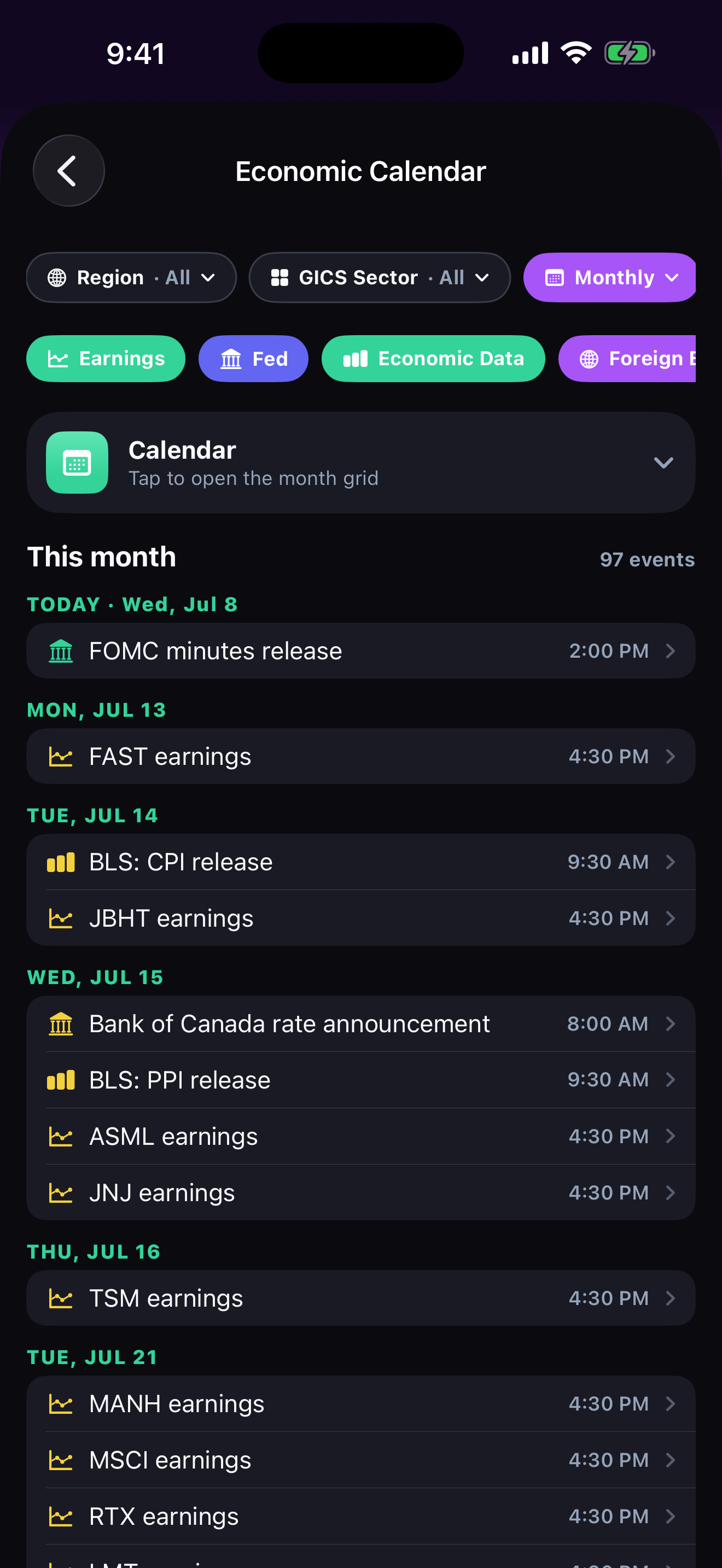
8. Economic Calendar
Macro events by region and GICS sector — FOMC releases, BLS prints, earnings, foreign central-bank actions.
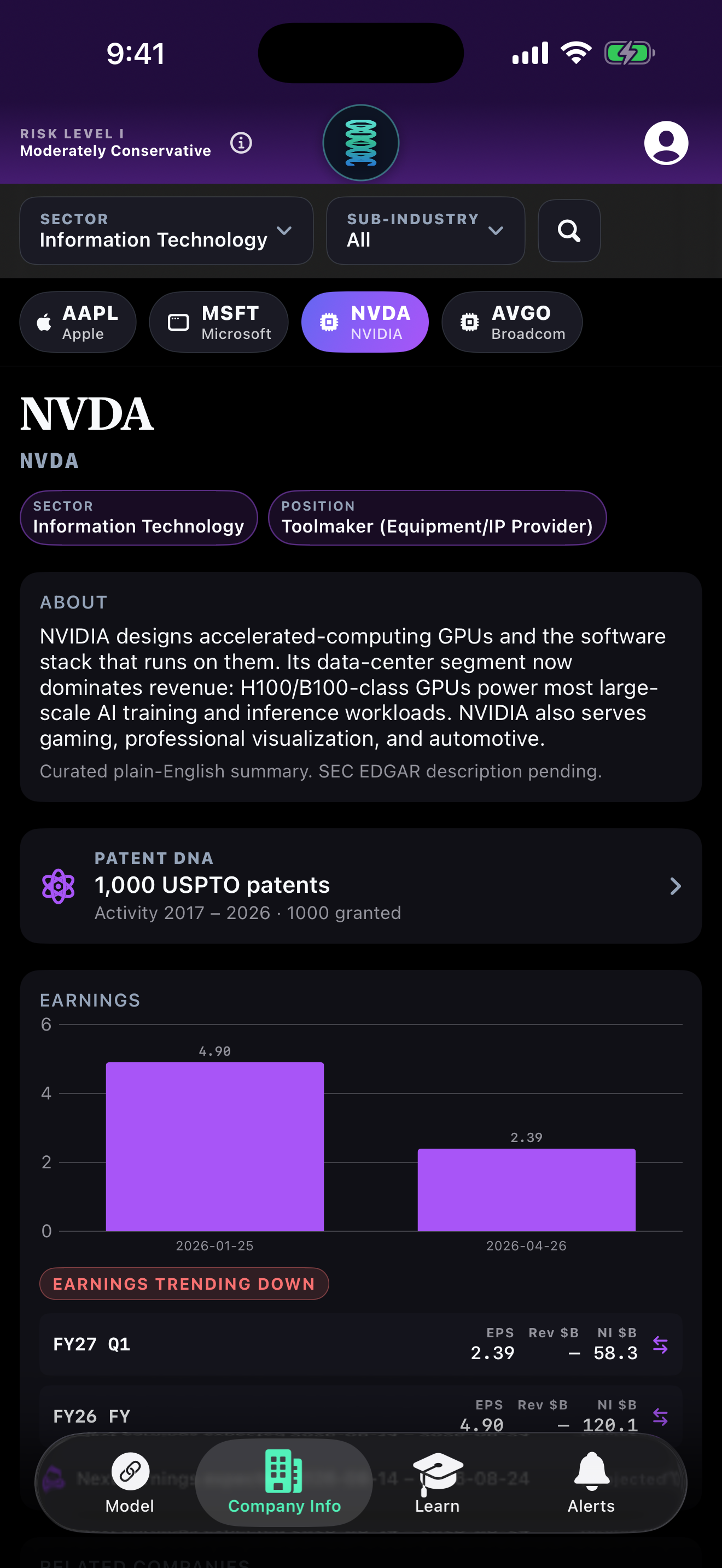
9. Company Info — NVDA
Sector / sub-industry filter, patent DNA, earnings history, plain-English company summary.
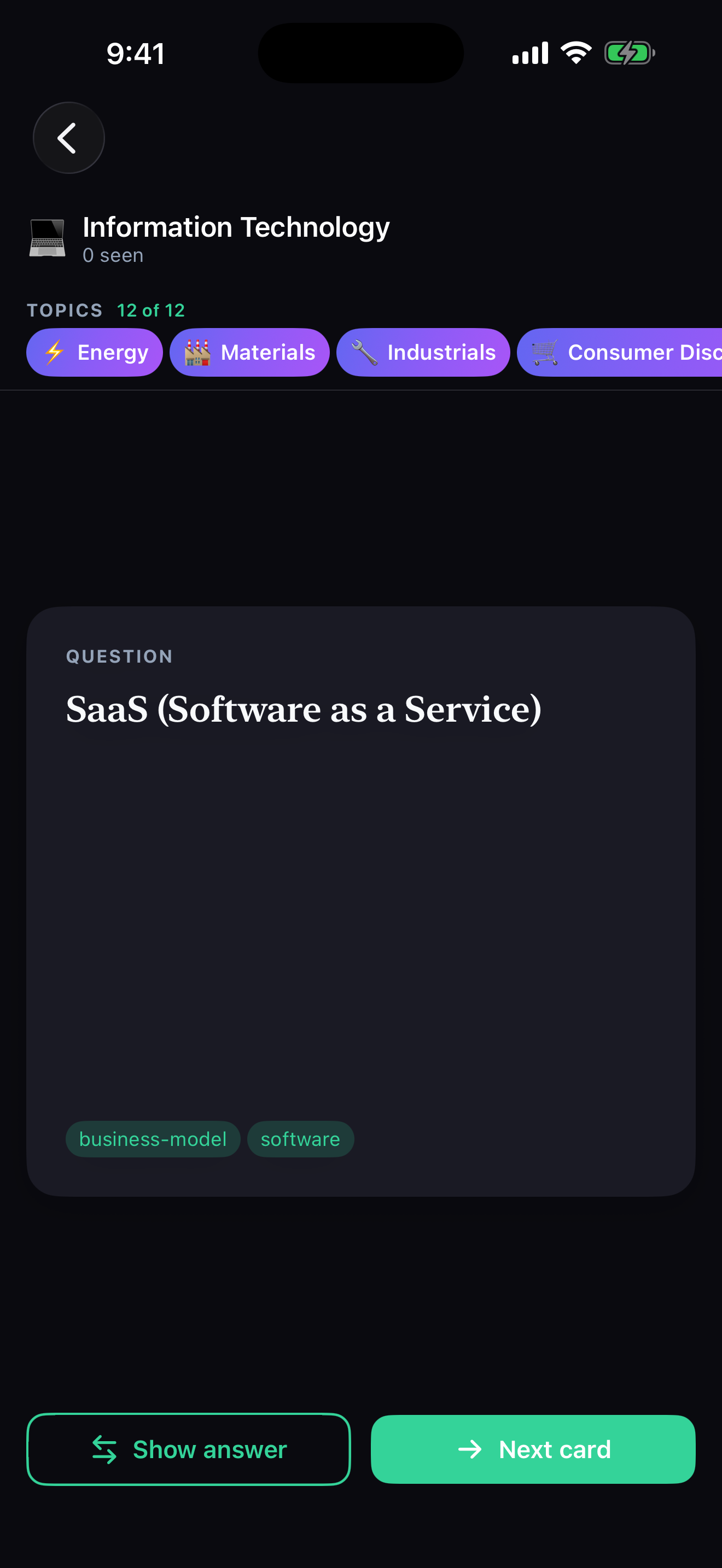
10. Learn — Flashcard (Question)
Educational flashcards organized by GICS sector; question side.
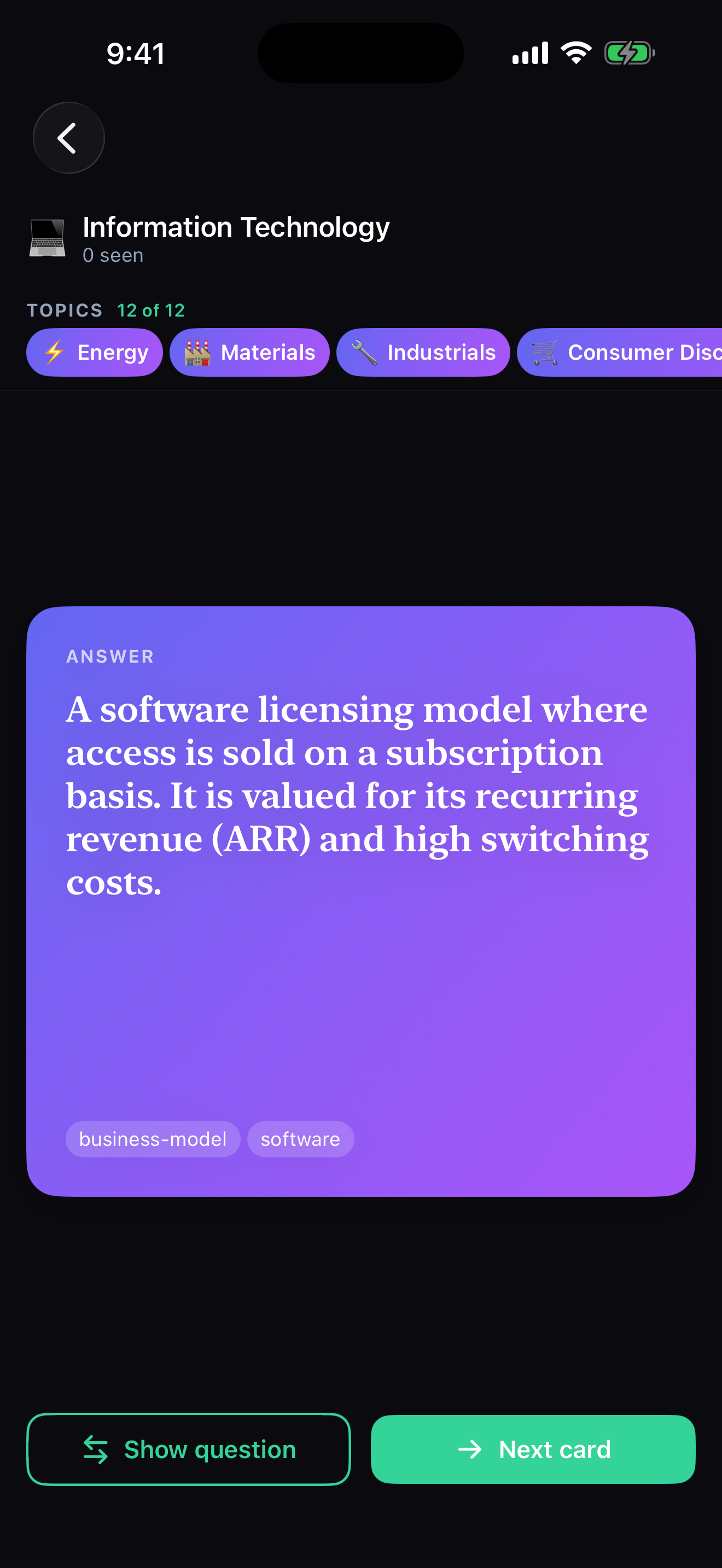
11. Learn — Flashcard (Answer)
Answer side, revealing the definition and topic tags.
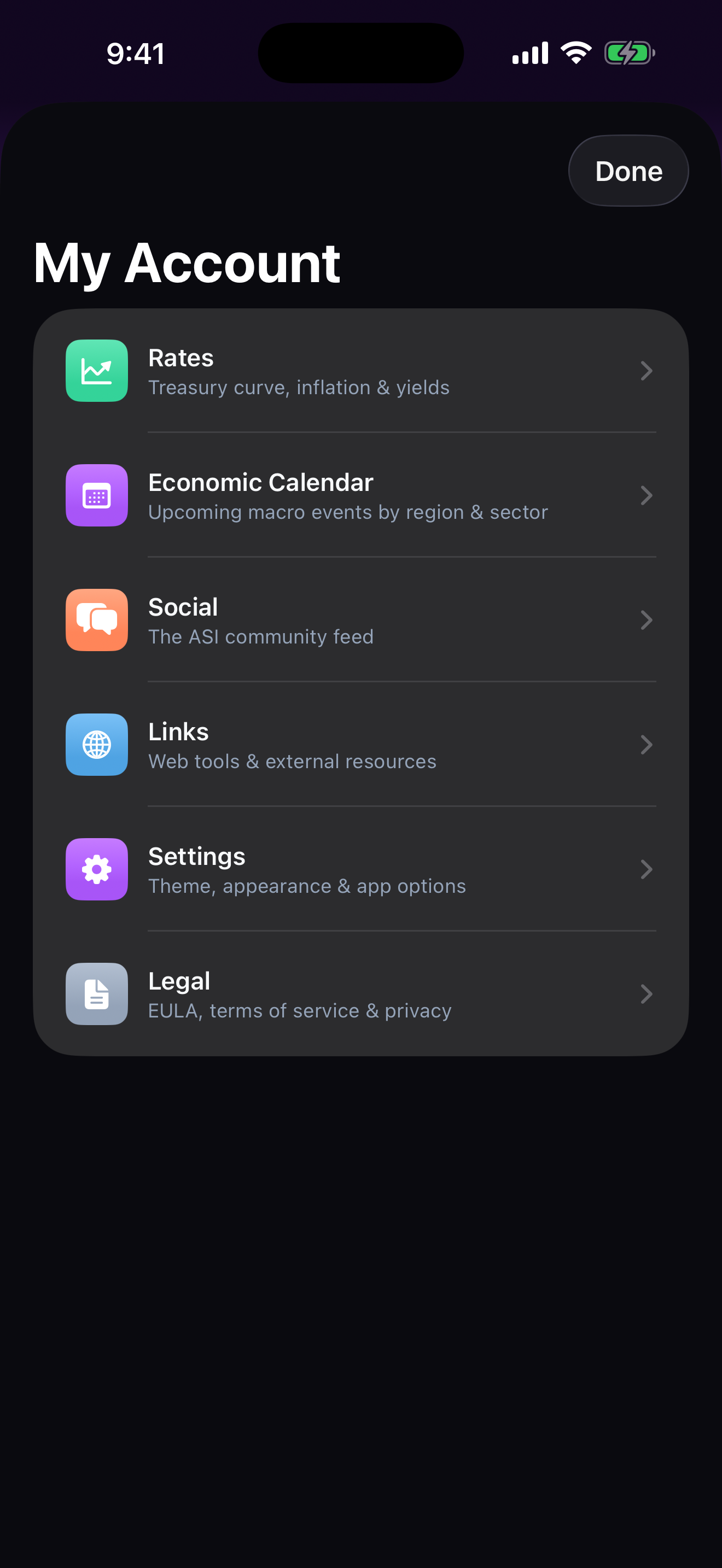
12. My Account Menu
Root navigation: Rates, Economic Calendar, Social, Links, Settings, Legal.
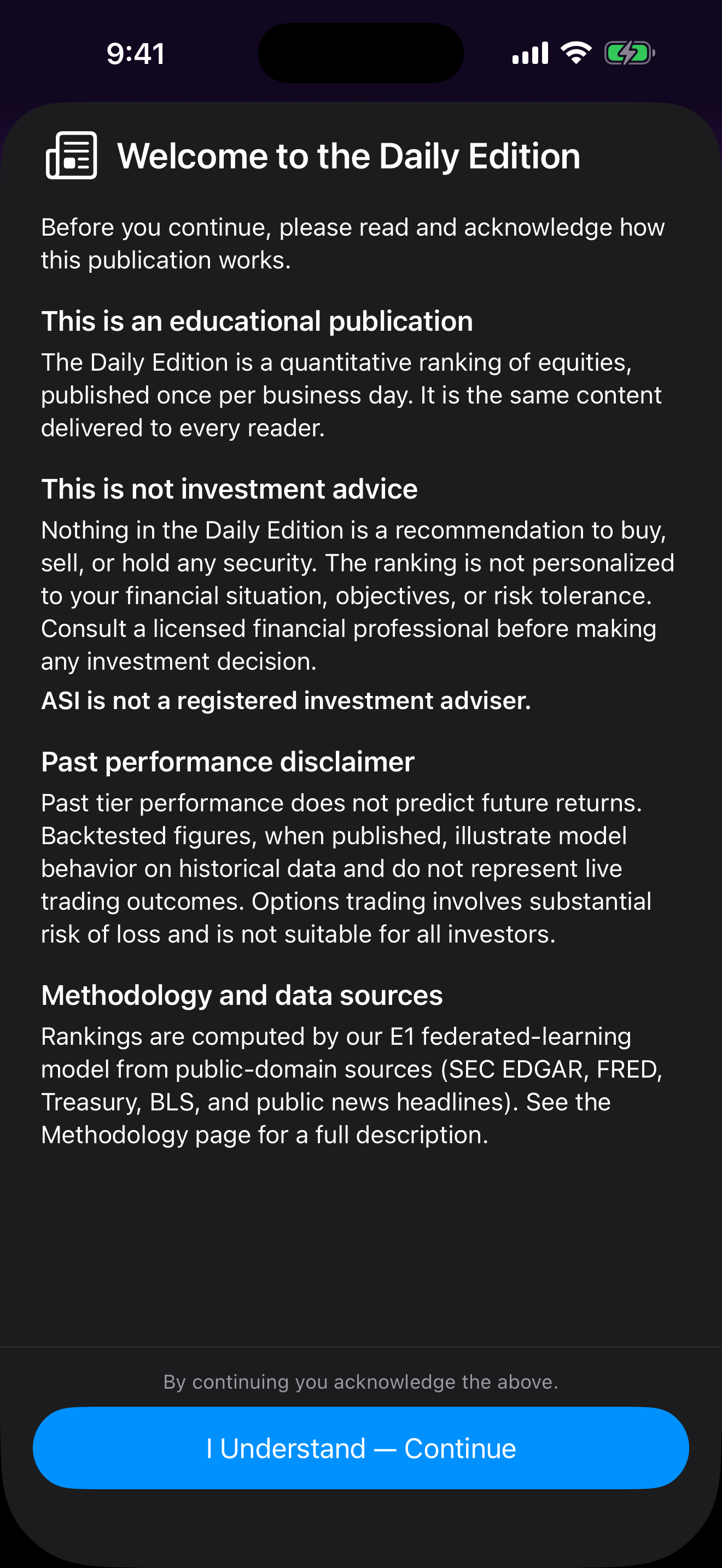
13. Daily Edition Disclaimer
First-run acknowledgement: educational publication, not investment advice, methodology and data-source disclosure.